
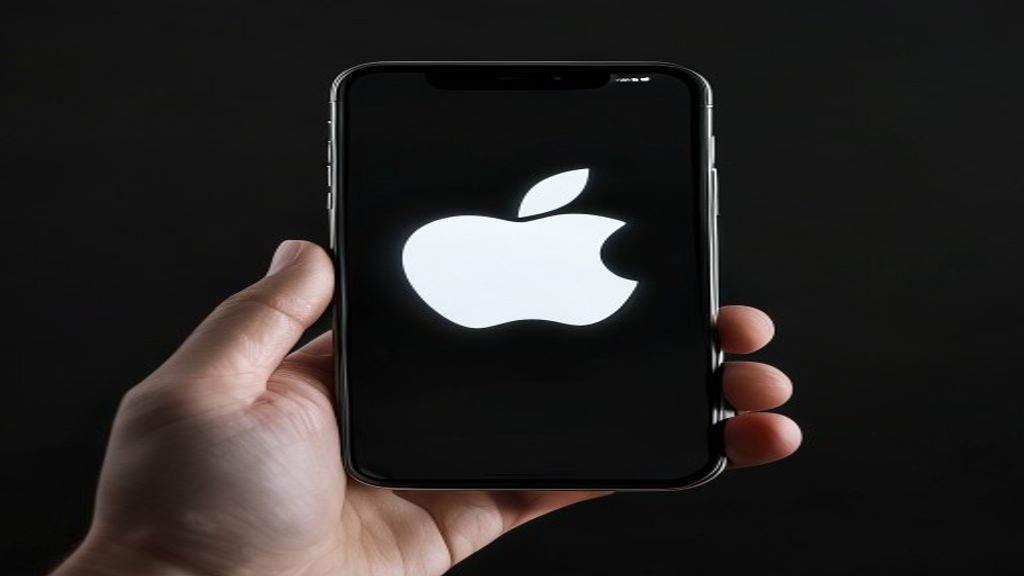
iPhone Stuck on Apple Logo? How to Fix It
You turn on your iPhone and the Apple logo appears. And stays. And keeps staying. Five minutes later it is still there. Your phone is stuck in what technicians call a boot loop or bootloop, and it is one of the most alarming problems a user can face because it feels like the phone is broken beyond repair. In most cases it is not. Here is how we diagnose and fix a stuck-on-Apple-logo iPhone at our Pacific Beach shop.
Why iPhones get stuck on the Apple logo
The Apple logo appears during the boot process as iOS is loading the kernel and preparing to launch the Home Screen. If something interrupts that process, the phone hangs on the logo indefinitely. The most common causes we see are a failed iOS update that corrupted system files, a bad jailbreak attempt, a damaged storage chip (NAND), a failed display IC on the logic board, or severe water damage that shorted critical boot components. Each cause has a different fix.
Force restart — always try this first
A force restart interrupts the boot process and clears temporary state. On iPhone 8 through iPhone 17: press volume up, press volume down, hold side button until the Apple logo appears (keep holding even past it until you see the home screen or recovery screen). On iPhone 7 and 7 Plus: hold side button + volume down together until the Apple logo appears. On iPhone 6s and earlier: hold home button + side button together. If the phone boots to the home screen after a force restart, you are done.
Recovery mode restore
If force restart did not work, connect your iPhone to a computer running the latest Finder (macOS Catalina+) or iTunes (Windows). Force restart the phone but keep holding the buttons until you see the Recovery Mode screen (a cable icon pointing at a computer). Your computer will detect the iPhone and offer to Update or Restore. Update first — this reinstalls iOS without erasing your data. If Update fails or does not complete, Restore is the next option, but Restore erases everything. A successful Update or Restore will bring a healthy iPhone back to life.
DFU mode — the deeper recovery option
Device Firmware Update mode is a lower-level recovery than Recovery Mode. With the phone connected to a computer: force restart it and continue holding buttons in a specific sequence (varies by model — look up the exact sequence for your iPhone). DFU mode rewrites the entire iOS firmware including bootloader components. It is more likely to succeed than Recovery Mode on persistent boot loops. But it will also erase your data.
When Apple logo = hardware failure
If Update, Restore, and DFU mode all fail, the issue is likely hardware. The most common hardware causes of permanent boot loops we see are a failed NAND storage chip (the iPhone is trying to boot iOS from a damaged storage area), a failed power management IC (PMIC), water damage corroding logic board components, and a failed display IC that hangs the GPU during boot. These are all logic board level repairs. Some can be fixed with micro-soldering, others are more cost-effective to resolve by transferring the data and moving to a new phone.
What to try at a repair shop
At Indiana Phones we do free diagnostics on boot loop iPhones. Our approach is to first rule out the software causes with force restart and recovery options, then open the phone to check for visible water damage or loose connectors, and finally evaluate whether logic board micro-soldering is worth it for the specific model. For customers whose data is critical, we can often recover it even from a phone that cannot fully boot. Call (619) 577-3065 or visit 1630 Grand Ave to have us take a look.
Related Reading
Related Services
- Phone Repair San Diego (all devices)
- iPad Repair San Diego
- Samsung Galaxy Repair
- MacBook Repair
- Phone Battery Replacement
Frequently Asked Questions
How do I force restart an iPhone stuck on the Apple logo?
On iPhone 8+ and newer: press volume up, press volume down, hold side button until the logo disappears. On iPhone 7: hold side button + volume down. On iPhone 6s and earlier: hold side + home button. Hold for at least 15-20 seconds.
Will I lose my data if my iPhone is stuck on the Apple logo?
Not necessarily. A force restart or an Update via Recovery Mode can sometimes fix the issue without erasing anything. Restore via Recovery Mode or DFU mode will erase your data, so try Update first. A good repair shop can sometimes recover data even from boot-looped phones.
Can a broken iPhone still have its data recovered?
Often yes, depending on why the phone will not boot. If the storage chip itself is intact and only the software is corrupted, data recovery through a reflow or chip transfer is possible. If the storage chip is physically damaged, recovery is much harder and sometimes impossible.
How much does it cost to fix an iPhone stuck on the Apple logo?
If the fix is software-only, a repair shop will typically charge a diagnostic fee. Hardware causes (failed PMIC, NAND, water damage) cost more because they require logic board work. Call Indiana Phones at (619) 577-3065 for current diagnostic and repair pricing.